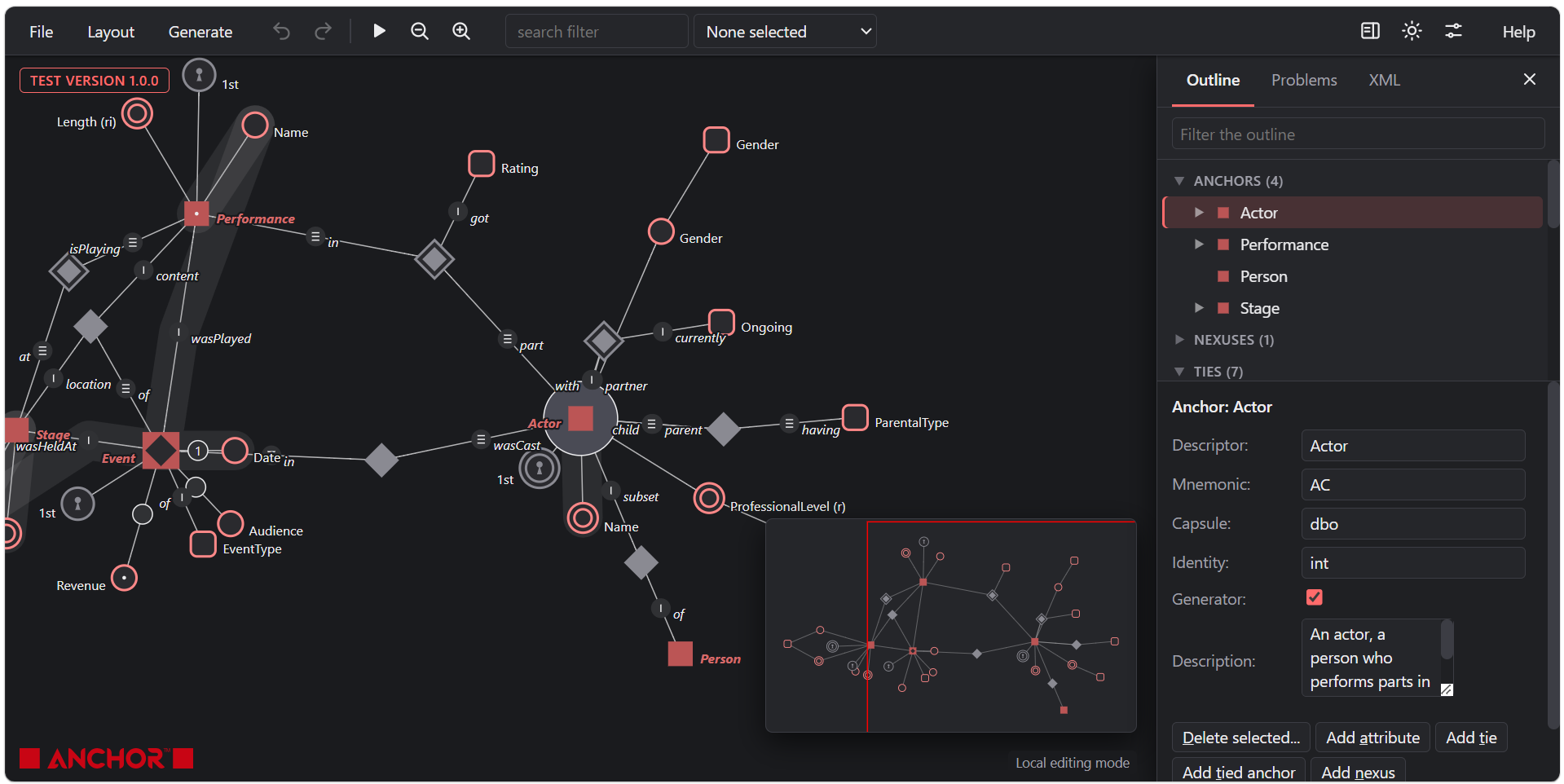
The last numbered release of the Anchor Modeler was 0.99.16, in May 2024. Since then it has gone through more than a hundred small versions, and today it becomes 1.0.2. The short version: the modeler looks and behaves like a current tool, you can work with a model in four different ways, it runs on a phone, and the SQL it generates now covers six databases.
You can try it here: Anchor Modeler.
The full history is tagged on GitHub, one tag per version: github.com/Roenbaeck/anchor/tags.
What is new in the modeler
A new look. A neutral toolbar with icons instead of the red strip, and light and dark themes that follow your system setting (you can switch with one button). Undo and redo show how many steps you have. Everything the tool draws, including the picture of the model, follows the theme.
One place for settings. The generation options, the 30 naming and type defaults and the layout tuning used to be spread over four menus. They are now in one searchable Model settings dialog, grouped (target, features, names, types, defaults for new items, advanced), with a sentence of help for each setting.
Three views of your model, next to the graph. A panel at the side holds:
- Outline: the model as a tree of anchors, nexuses, ties and knots, with their attributes. Selecting in the tree selects in the graph and the other way round, and the fields and operations of what you select are right below. You no longer need to hover and press keys to edit.
- Problems: a live list of what is wrong with the model (a missing setting, two anchors with one mnemonic, a tie with fewer than two ends) and some hints (no description, still called “Unnamed”). Click a line to go to it.
- XML: the model as text that you can edit. What you type is checked, and when it is right it becomes the model, as a step you can undo. If it is not right, the model is left alone and you are told why.
The old way of working, hovering over a construct and pressing a key, is still there for those who like it.
Working with an AI assistant. Copy model for an agent puts the model on the clipboard together with what an assistant needs to know to change it correctly (and a pointer to the Anchor Modeling skill). Paste model from an agent checks what comes back and replaces the model, keeping the positions of what was already there. Models without positions, from an assistant or written by hand, are now laid out sensibly by what is tied to what, instead of at random.
Getting things out. Copy or download the generated SQL, XML or JSON bindings. Save the whole model as a PNG or SVG picture, in the colours of your theme. Keep several models in the browser under names. And HTML documentation is rebuilt: a single readable page with a picture of the model and a section for every anchor, nexus, tie and knot, with its descriptions, attributes, roles and links between them. You can open it in a tab, download it as one file, or print it.
Phones and tablets. The page follows the size of the screen, and a finger can tap to select, drag a construct, move the view, pinch to zoom, and hold to select several.
Keyboard and screen readers. The menus work with the arrow keys, the graph can be moved and zoomed from the keyboard, and undo, redo and similar actions are announced.
What was already added on the way (0.99.17 to 0.101.19)
- The nexus, a new construct for events and happenings, with a chronicle, keys, and code generation.
- SQL generation for six databases: SQL Server, Oracle, PostgreSQL, Vertica, Snowflake and BigQuery, in unitemporal, bitemporal and concurrent-reliance-temporal form.
- Shared sisula engine. The generators now run on one shared template engine, and the model can be exported as the JSON that the templates take as input.
- Model checks before generation, and a table of what each database implements, so the modeler hides the options a database does not support instead of generating something broken.
- Social modeling. Share a model as a link, or load one from a gist.
Changes you may notice
- The cloud storage and the share-by-tweet feature are gone (the server they used no longer exists). Loading a model from a gist still works.
- The mass editor (Shift+E) is gone: the outline and the XML view do what it did.
- The modeler no longer fetches fonts from Google, so it works offline and sends nothing to a third party. You can host it on an internal web server in an air-gapped environment.
Under the hood
The modeler is still plain browser code with no third-party libraries. The code was split from one 6,000-line page into modules, and a test suite of 70 automated checks (run in a headless browser) now drives the interface the way a user does, including touch gestures and phone, tablet and desktop sizes.
Feedback and bug reports are welcome on GitHub.
